Proprietary Cooling Mount Standards and the CPU Cooler Compatibility Crisis
Retailer listings, not mounting standards, are what create cooler compatibility headaches.
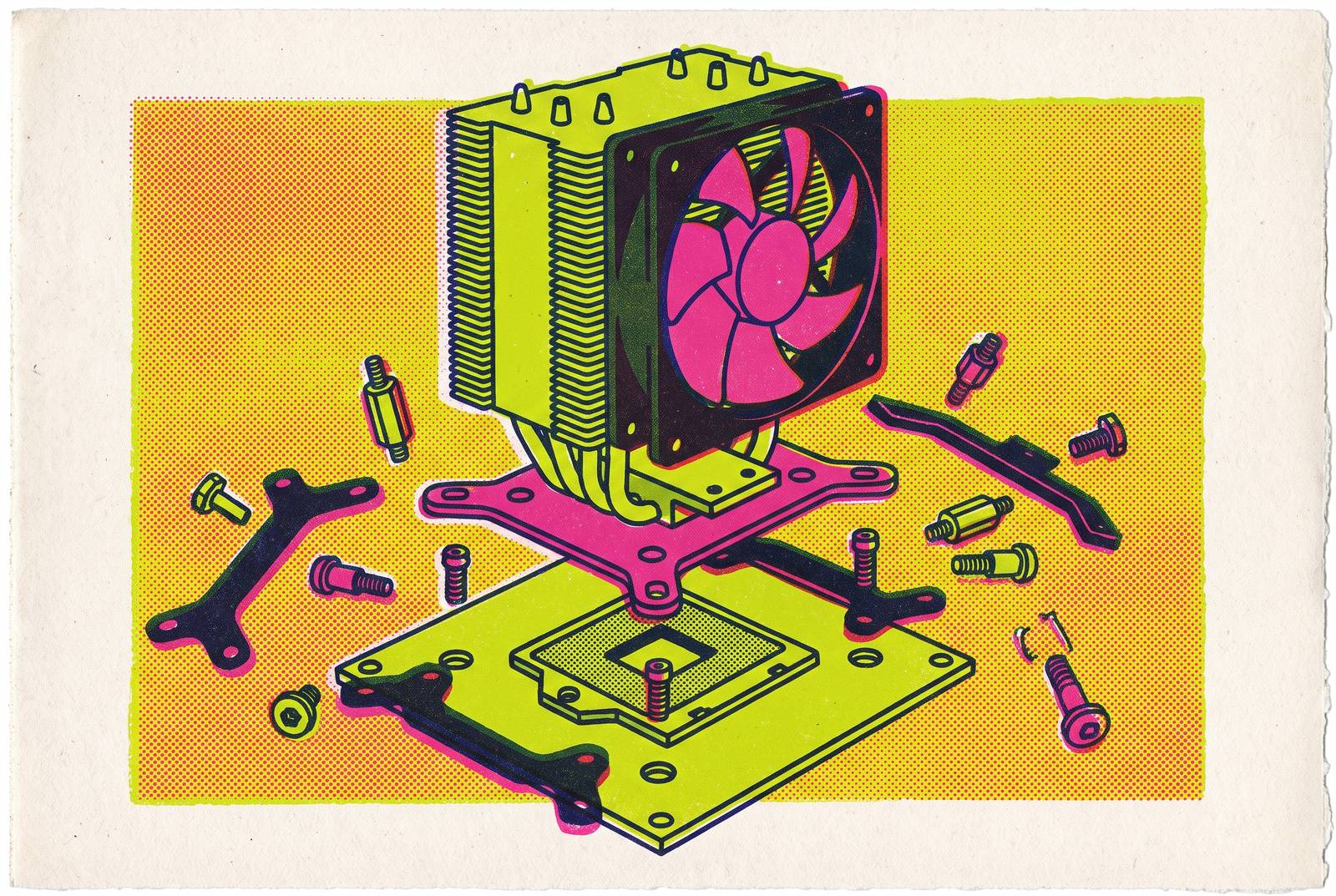
A builder buys a cooler that lists support for their socket, opens the box at install time, and finds the backplate doesn't match the board in hand. That moment of friction repeats across enough forums and return requests that it has built a reputation for CPU cooler compatibility as a genuine mess. The reputation outruns the reality. Most failed installs don't happen because mounting standards have multiplied; they happen because documentation and retailer listings point builders to the wrong information at the wrong moment. Builders find out their cooler doesn't fit only after the box is open, and that timing is what makes the problem feel like chaos even where the underlying standards are stable.
The cooling market has gotten more complicated in ways that are easy to see: more ecosystems competing for shelf space, more SKUs crowding every price bracket, more proprietary connectors promising cleaner cable runs. Mounting geometry is the dimension that fixes whether a cooler bolts onto a board, and underneath all that visible noise, it has quietly settled down. Several 2026 buying guides now tell builders to check a manufacturer's own compatibility page instead of trusting the specs listed by a retailer. That advice exists for a specific reason: retailer listings are where compatibility information goes stale or gets flattened into a generic "fits most sockets" line, not because the sockets themselves are unstable. A builder who knows which parts of this market are genuinely unsettled, and which parts have already stabilized, can shop with confidence. One who takes a retailer's product page at face value is the one who ends up holding a bracket that doesn't fit.
Where mounting standards have converged
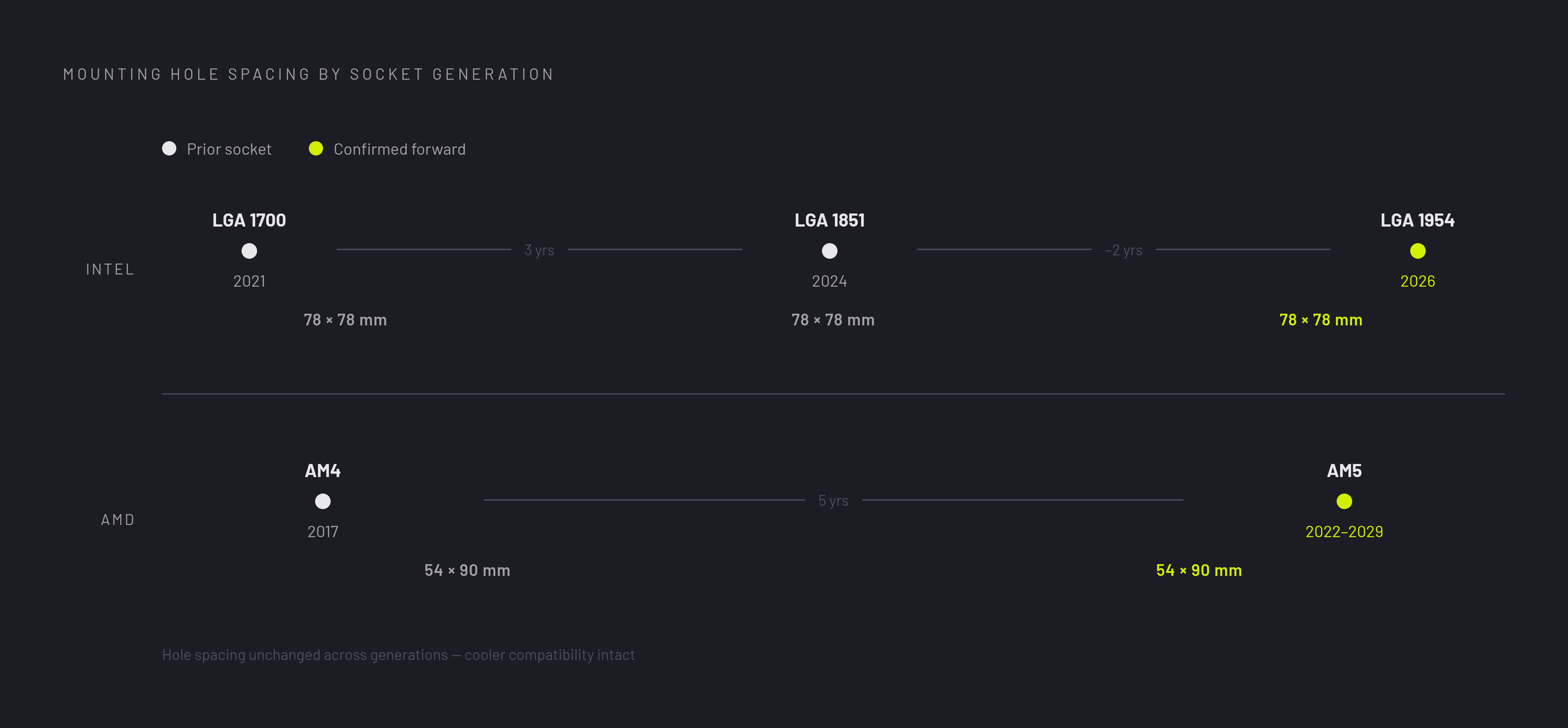
Intel and AMD account for nearly every desktop build, and the two have moved toward each other on mounting geometry rather than apart, even as their socket names have kept changing. Intel's LGA 1851 socket, which carries the Arrow Lake generation, uses the identical 78 × 78 mm mounting hole spacing as the previous LGA 1700 socket. Any cooler or water block built for LGA 1700 bolts onto LGA 1851 without modification. AMD's AM5 socket follows the same pattern against its own predecessor: AM5 uses the same 54 × 90 mm mounting geometry as AM4, so the large majority of AM4 coolers and water blocks carry over to AM5 hardware with no changes required, one caveat aside.
That convergence didn't happen by accident. Both companies went through prior socket transitions that left builders angry about discarded cooling investments, and both responded with explicit commitments to hold mounting geometry steady across generations. The practical consequence cuts against the "crisis" framing almost entirely: a liquid cooler or air tower bought today for a current-generation board is one of the more future-proof parts in the build, not one of the more fragile ones. Socket names will keep changing with each new chipset launch. The holes drilled into the board for the cooler bracket have stopped changing nearly as often.
The backplate caveat that catches AM5 builders reusing older AIOs
The one reliable exception to AM4-to-AM5 continuity involves the backplate rather than the hole pattern. A cooler that uses AMD's standard mounting backplate carries over to AM5 cleanly. A cooler that uses a manufacturer's own proprietary backplate does not carry over, even when the hole spacing on the board is identical, and that distinction rarely appears in a retailer's listing.
An AM4-compatible cooler built around the standard backplate is almost guaranteed to work on AM5. One built around a proprietary backplate needs a manufacturer-supplied AM5 kit before it will mount. This single distinction accounts for the most common failure mode among builders reusing an AIO from a previous-generation Ryzen system on a new AM5 board. It is a product design choice made by individual cooler manufacturers, not a flaw in AMD's mounting standard, and it only becomes visible to a builder who checks for it specifically.
Intel introduced a related wrinkle alongside LGA 1851 that looks similar on the surface, but it comes from a different cause. Intel updated the minimum heatsink mounting pressure requirement for the platform, and built it around a new reduced load independent loading mechanism, or RL-ILM. Some coolers built for older Intel sockets share the exact same hole spacing as LGA 1851 but still needed updated brackets to meet the new pressure spec. Hole geometry alone wasn't enough to guarantee a proper mount. Early complaints from builders about LGA 1851 cooler fitment traced back almost entirely to this pressure spec change rather than to any shift in the hole pattern itself, which is the kind of distinction that matters enormously to someone troubleshooting a failed install and means nothing to someone just comparing socket names on a spec sheet.
The compatibility trap built into proprietary software ecosystems
Mounting hardware is only one axis of the compatibility picture. A second axis runs through cable architecture and software, and it traps a different kind of builder for a different reason. Corsair's iCUE Link platform replaces the tangle of individual PWM fan cables and ARGB leads with a single universal connector type, daisy-chained from device to device. The engineering behind that simplification is genuinely clean: fans, AIO coolers, and even custom-loop water blocks all connect through the same slim proprietary connector, and a case full of iCUE Link gear can look dramatically tidier than one wired the conventional way.
That cleanliness comes at a cost that only pays off if you commit fully. Corsair's iCUE Link QX120 fans run two to three times the price of comparable traditional fans. If you mix iCUE Link hardware with third-party fans, you undercut the entire premise, because the single-cable run only works if every device in the chain speaks the same proprietary connector. Builders who want the aesthetic payoff, the cable-light, RGB-synchronized look the platform is built to deliver, are exactly the builders most likely to buy in completely. That full commitment is also what locks them in most tightly the next time they want to swap out one fan or one cooler.
Tom's Hardware's evaluation of the platform reached a measured verdict rather than a dismissal: for most reasonable builds, the complications iCUE Link doesn't solve still outweigh the frustrations it resolves in the fan and RGB department. The value case holds up best for a builder going all-in on a brand-new system, not for someone trying to add the platform piecemeal to hardware they already own, a framing the platform's own marketing tends to skip past. Experts who advise builders on long-term serviceability generally steer around proprietary mounting and non-standard tubing altogether, and they point instead to brands that publish their mounting schematics in the open, naming Noctua, be quiet!, and Arctic as the safer long-term choices. None of this makes iCUE Link a bad product. It makes it a commitment with its own shape, distinct from a socket mismatch, and one that rewards builders who understand what they're buying into before the first cable goes in.
Intel's platform churn and its cost to builders over a full upgrade cycle
A third axis of the compatibility picture has nothing to do with whether a cooler fits today and everything to do with how long the socket underneath it will stick around. For Intel builders, that question currently has a short answer. Matching hole patterns between generations doesn't guarantee that a CPU from one era will run on a board from another: socket wiring, firmware, power delivery specifications, and chipset support all have to line up as well, a lesson prior Intel transitions have reinforced more than once.
LGA 1954's existence came to light almost by accident. Thermaltake's website briefly listed Nova Lake LGA 1954 CPU support for its MINECUBE 360 Ultra cooler, a product that had debuted at Computex 2025, and then the listing disappeared again in late October 2025. The leak was brief, but it confirmed something builders had only been able to speculate about. It also carried genuinely useful news buried inside it: the same leaked Thermaltake installation guide confirmed that coolers compatible with LGA 1851 and LGA 1700 will remain compatible with LGA 1954. The cooler survives the socket transition even in cases where the motherboard underneath it does not. Intel has stated that it intends LGA 1954 to last across several processor generations through the end of the decade, a direct answer to years of criticism over short platform lifespans, though commitments of that kind are judged by what actually ships rather than by what gets announced.
AMD's position reads differently by comparison. AMD has confirmed AM5 platform support running through 2029, and Ryzen 10000, built on Zen 6 architecture under the codename Olympic Ridge, is confirmed as an AM5-compatible upgrade, though some boards will need a BIOS update first. For a builder weighing total cost of ownership across a full multi-year upgrade cycle, that asymmetry has turned into one of the stronger arguments in AMD's favor, a planning argument rather than a performance one. Cooler and motherboard investments on the AM5 side have a longer demonstrated runway than their Intel counterparts do right now.
Physical clearance conflicts that don't show up in socket compatibility charts
A cooler's mounting holes can line up with a given socket and still not fit inside the case once you install it. Large air coolers and high-end AIOs run into a separate category of problems that no socket compatibility chart can predict: interference with RAM slots, VRM heatsinks, and the case itself.
Large dual-tower air coolers routinely overhang the DIMM slots closest to the socket, so a builder has to switch to low-profile memory modules; this constraint is rarely disclosed at the point of sale, and it can turn a single cooler purchase into a cooler-plus-RAM purchase. High-end motherboards built with substantial VRM heatsinks introduce a parallel problem, conflicting with cooler mounting brackets or with the cooler body itself, especially inside the tighter confines of mATX and ITX builds. As CPU thermal design power climbs generation over generation, the heatsink towers built to handle that heat keep growing to match, and that growth is turning these interference problems into a regular feature of mid-to-high-end builds rather than a rare edge case. AIOs carry their own version of the same issue in radiator thickness: a 45mm-thick radiator dropped into a case fan slot designed around 27mm radiators is a common point of failure, and case clearance specifications don't always make that distinction clear. The habit worth building is checking the actual internal measurements of the case against the actual dimensions of the cooler, rather than trusting a case's marketed "supports up to X mm cooler height" figure at face value.
Noctua's free mounting kit program as a structural counter-model
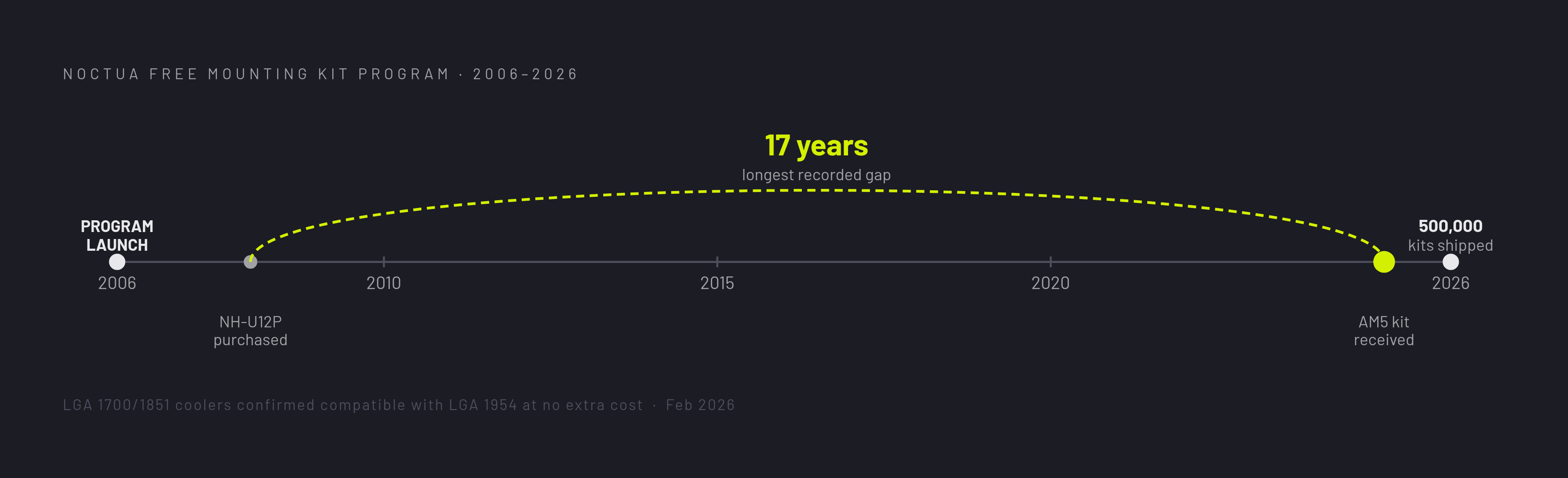
Noctua's mounting kit program is the clearest evidence available that cross-generation compatibility is a problem manufacturers can solve when they choose to. Noctua has shipped free mounting upgrade kits since 2006, so customers can adapt existing coolers to new sockets as they move to new platforms, and the company passed a cumulative total of 500,000 kits shipped as of February 2026. One request submitted by a customer in Finland asked for an AM5 mounting kit to fit an NH-U12P originally purchased in 2008, a seventeen-year gap between the original purchase and its first socket upgrade, the longest interval Noctua had recorded at that point.
The company has carried that same commitment forward into Intel's next platform transition as well. All Noctua CPU coolers compatible with LGA 1851 and LGA 1700 are confirmed to work with the upcoming LGA 1954 socket, with no additional mounting parts required and the identical installation process carried over unchanged. That commitment functions as engineering policy rather than marketing copy, addressing platform churn on the Intel side of the market, where churn has been sharpest. The program carries a second argument alongside the convenience one: a cooler that gets adapted across three successive sockets instead of replaced with each new platform generates measurably less electronic waste over its working life. Noctua's approach doesn't prove every manufacturer should build mounting kits exactly this way. It proves the underlying problem was never unsolvable to begin with.
Navigating the market through the best-reviewed coolers in each category
Independent testing from 2026 shows that the coolers that rank highest tend to win on documented socket support, standard mounting geometry, and transparent serviceability, not on proprietary integration or flashy feature lists. That pattern lines up closely with the framework this piece has laid out.
The Thermalright Peerless Assassin 120 SE illustrates the pattern clearly in the budget air-cooling segment, and bottleneckcalcs.com's January 2026 testing rated it the best overall value in its class. DeepCool's US retail ban in mid-2024 removed a major competitor from that price range, so Thermalright's hold on the budget air segment got a structural boost and it became the primary option for budget-focused builders. A cooler at that price, carrying that breadth of documented socket support, is the product of the same forces this piece has traced throughout: stable mounting geometry, clear documentation, and no proprietary lock-in standing between the builder and the install.
Sources
- CPU Cooler Guide: How to Choose the Right One in 2026
- Best CPU Coolers 2026: Air & Liquid
- Motherboard Hole Spacing for Air Coolers and Water Blocks
- Intel LGA1851 cooling
- Thermaltake Coolers Support New-Gen Intel and AMD CPUs Ready for LGA 1851 and AM5 Sockets
- Switching from Intel to AMD. Do I need a new back plate for my AIO cooler? - Troubleshooting - Linus Tech Tips
- AMD AM5
- Intel LGA1851 to Succeed LGA1700, Probably Retain Cooler Compatibility